

Windows tuning
FluentCleaner
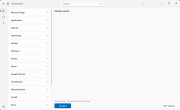
PC cleaners and optimizers are a controversial topic, because the right tool in the right hands can have a positive effect on a computer, helping free ...
PC cleaners and optimizers are a controversial topic, because the right tool in the right hands can have a positive effect on a computer, helping free up storage space and optimize performance, especially on machines with weaker hardware. FluentCleaner is a new and free Windows 11 program that promises to achieve this using community-created rules, all wrapped in a visually appealing interface.
More...Op. system: Windows 11
 To download
Powertoys
Microsoft PowerToys is a collection of utilities that help you customize Windows and streamline everyday tasks. PowerToys includes over 25 utilities t ...
Microsoft PowerToys is a collection of utilities that help you customize Windows and streamline everyday tasks. PowerToys includes over 25 utilities to help you customize and optimize your Windows experience.
More...Op. system: Windows 10 / 11
To downloadStartCleaner
There can be many reasons why a computer slows down, and one of the most common is that too many programs start automatically when Windows boots. Some ...
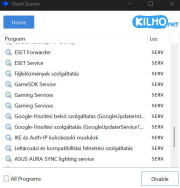
There can be many reasons why a computer slows down, and one of the most common is that too many programs start automatically when Windows boots. Sometimes this is necessary, but often the case is that we use a program for a while, then forget about it, no longer really need it, and don’t realize that it still starts every time and runs in the background, using system resources. The free program StartCleaner helps with this (available for download here). Although Windows itself can also manage startup programs, the big advantage of this software is that it lists all programs and services in a single interface. For each entry, it shows the type—for example, SERV indicates a service, while FILE refers to a simple shortcut pointing to a program’s executable file. To disable any item, simply select it and click “Disable.” By default, the list shows only enabled items, but by turning on “All programs”, everything becomes visible. However, be cautious when disabling items to avoid turning off something that is actually needed (of course, anything can be re-enabled at any time using “Enable”).
More...Op. system: Windows 9x / XP / 7 / 10 / 11
To downloadTweakPower
<span style="color: rgb(15, 23, 42); font-family: Inter, -apple-system, BlinkMacSystemFont, "Segoe UI", sans-serif; font-size: 16px; white-s ...
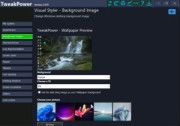
<span style="color: rgb(15, 23, 42); font-family: Inter, -apple-system, BlinkMacSystemFont, "Segoe UI", sans-serif; font-size: 16px; white-space: pre-wrap;">TweakPower offers you numerous tools for optimizing Windows. All of TweakPower</span>&#39;<span style="color: rgb(15, 23, 42); font-family: Inter, -apple-system, BlinkMacSystemFont, "Segoe UI", sans-serif; font-size: 16px; white-space: pre-wrap;">s program functions are consolidated into an attractive user interface and are easily accessible. The software makes complex optimization processes simple, even for inexperienced users. TweakPower offers direct access to many system settings and hidden options. With the software, you can replace system and desktop icons, optimize network settings, and optimize RAM. TweakPower also manages drive and security settings. Upon request, the program can clean the hard drive, split or encrypt files, and permanently delete data using a shredder.</span>
More...Op. system: Windows XP / 7 / 10
To downloadWise Registry Cleaner
As you use Windows, your registry continues to grow, accumulating obsolete entries that can eventually slow down your computer or even cause system cr ...
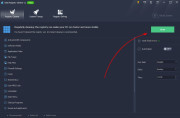
As you use Windows, your registry continues to grow, accumulating obsolete entries that can eventually slow down your computer or even cause system crashes. Wise Registry Cleaner scans the Windows registry to find errors and leftover items, then cleans or defragments them. By fixing these leftover and corrupted registry entries, your system will run faster and more reliably.
More...Op. system: Windows XP / 7 / 10 / 11
To download
