

Installing
Ventoy

Ventoy is a multiboot creation tool where it’s enough to simply replace the ISOs copied to the USB drive whenever they get updated — you don’t need to ...
Ventoy is a multiboot creation tool where it’s enough to simply replace the ISOs copied to the USB drive whenever they get updated — you don’t need to rewrite the entire drive each time. The program can also update the Ventoy core already installed on the USB drive, as shown in the images, making it as easy as possible to keep your installer set up to date.
After extracting Ventoy, you start it with Ventoy2Disk.exe. For more modern target machines, it’s worth checking in the menu before installation whether the partition table is set to GPT. I’ve already enabled this in the ZIP, but it’s not the default setting if you download the tool from the website.
During installation, Ventoy creates a separate hidden partition for itself on the USB drive, while the remaining space is formatted as exFAT. This is perfectly fine for storing ISOs and your other files, though you can reformat it to NTFS if you prefer. You can place the ISOs anywhere on this partition; after a successful boot, Ventoy will list them and then proceed to start the selected one.
More...Op. system: Windows 7 / 10 / 11
 To download
Yumi
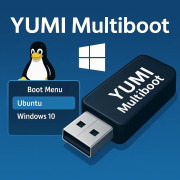
YUMI (Your USB Multiboot Installer) is a popular multiboot USB boot creator or Windows media creation tool. The purpose of this bootable USB creator i ...
YUMI (Your USB Multiboot Installer) is a popular multiboot USB boot creator or Windows media creation tool. The purpose of this bootable USB creator is to help anyone quickly make a multisystem flash drive consisting of several different ISO files. Easily install, boot and run all of your favorite ISO and IMG files from one single USB drive or micro SD card, turning it into a powerful portable multi-boot system. With support for multiple operating systems and recovery tools, it is an ideal choice for creating a multiboot flash drive that includes a wide range of USB bootable software, Live Linux distributions. It can also be used as a Windows media creation tool for installing Windows from a flash drive.
More...Op. system: unknown
To download
